 How Out-of-Office E-mails Create Cybersecurity Risks for Small Businesses
When it comes to cybersecurity risks for small businesses, many owners and managers focus on things like firewalls, antivirus software, and employee password habits. But one of the most overlooked vulnerabilities is the humble out-of-office auto-reply.
That polite little message you send while packing for vacation might be doing more harm than good—silently exposing your company to phishing attacks, impersonation scams, and data breaches. And for businesses with limited internal IT resources, these risks multiply fast.
Let’s explore how something as routine as an e-mail auto-reply can open the door to cybercriminals—and what you can do to prevent it.
The Hidden Dangers of Auto-Replies
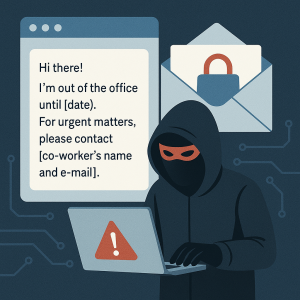
Out-of-office (OOO) e-mails are designed to help keep things organized when someone is away. But they often include far more information than necessary—and cybercriminals are paying attention. Here’s what a typical auto-reply might reveal:
-
Your name, title, and role in the company
-
Exact dates you’ll be unavailable
-
Details about your location (“attending a dental conference in Chicago”)
-
Contact information for coworkers or assistants
-
Insight into internal structure and responsibilities
This creates two key vulnerabilities:
-
Timing – Hackers now know you’re away, making it less likely you’ll catch fraudulent activity in real time.
-
Targeting – They know exactly who to impersonate and who to attack with a fake request.
It’s a perfect recipe for a phishing or Business E-mail Compromise (BEC) scam—and the stakes are high.
Why Cybersecurity Risks for Small Businesses Are Closer Than You Think
Let’s say you’re a CPA, a dental office manager, or a nonprofit executive heading out for a week. You set your OOO reply and include your assistant’s name and contact information.
Here’s what can happen next:
-
A hacker scrapes your auto-reply from a compromised inbox.
-
They send an urgent message to your assistant, impersonating you:
“Can you wire $12,500 to this vendor before 3 PM? I’m in a meeting and can’t call right now.” -
Your assistant, busy and trusting the name on the e-mail, complies.
-
You return from vacation to discover the funds are long gone.
This scenario plays out across small and midsize businesses every day—and the consequences are costly.
According to CISA, phishing and business e-mail compromise are two of the top threats facing small businesses today.
Why Small and Mid-Sized Businesses Are Prime Targets
Your company may not be a Fortune 500 firm, but that doesn’t make you immune. In fact, small businesses are more likely to be targeted, especially if:
-
You rely on email to approve invoices, payroll, or wire transfers
-
Multiple people cover responsibilities when others are out
-
Your staff assumes internal e-mails are always legitimate
-
Cybersecurity policies haven’t been formally documented or trained on
In short, the more your team relies on quick communication without verification, the more vulnerable you are.
5 Ways to Reduce Cybersecurity Risks from Auto-Replies
You don’t need to ditch your OOO messages—but you do need to be smart about them. Here’s how:
1. Keep Replies Generic
Avoid listing names, titles, or travel details. Instead, say:
“I’m currently out of the office and will respond when I return. For immediate needs, contact our main office at [phone number or general inbox].”
2. Educate Your Team
Train staff to:
-
Never act on financial or sensitive requests sent solely via e-mail
-
Always confirm unusual messages through another method (like a phone call)
3. Use Advanced E-mail Protection
Invest in:
-
Anti-spoofing and phishing filters
-
Domain-based Message Authentication, Reporting & Conformance (DMARC)
-
Business-grade spam protection
4. Enable Multifactor Authentication (MFA)
MFA stops hackers from logging in even if they manage to steal a password.
5. Partner with a Proactive IT Provider
An IT partner like Iler Networking & Computing monitors for suspicious activity, flags impersonation attempts, and strengthens your security posture—before a breach occurs.
Don’t Let Cybercriminals Vacation on Your Dime
Your auto-reply shouldn’t become an open invitation for fraud. At Iler Networking & Computing, we help small businesses like yours stay secure—even when the whole team is out of office.
Book a FREE Cybersecurity Assessment today and find out how we can help you reduce your cybersecurity risks while still keeping your business communications running smoothly.