
 Holding on to old computers and outdated software might seem like a smart way to stretch your IT budget. After all, if the equipment still powers on and the software “mostly works,” why spend the money? Unfortunately, delaying a business technology upgrade almost always costs more in the long run. From lost productivity to serious cybersecurity risks, outdated systems can silently drain profits and expose you to compliance failures.
Below are five clear warning signs that your organization is overdue for a business technology upgrade—and why acting now will save you money and headaches later.
1. Your Business Still Runs on Windows 10 or Older
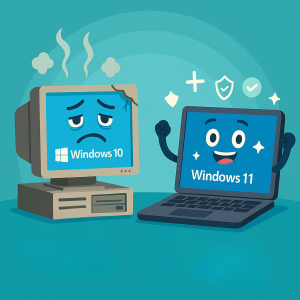
One of the most obvious indicators that you need a business technology upgrade is relying on an operating system that’s approaching end-of-life. Microsoft has announced that Windows 10 support will officially end in October 2025. After that date, no new security patches or updates will be released.
Continuing to run Windows 10 or anything older will leave your network exposed to hackers and make it difficult—or even impossible—to maintain compliance with frameworks like HIPAA, PCI DSS, or NIST CSF. If you haven’t already mapped out an upgrade plan, now is the time to plan your migration to Windows 11 or other supported platforms. A professional business technology upgrade ensures that your operating systems, applications, and security tools all stay current and fully supported.
2. You’re Calling IT for the Same Problems Repeatedly
If your staff is constantly contacting IT for help with the same recurring issues—slow computers, system crashes, printer errors, or network timeouts—your technology is likely at the end of its life cycle. These ongoing disruptions create hidden costs. Not only do you pay for repeated IT support, but your employees also lose valuable time waiting for issues to be resolved.
When systems become this unreliable, a planned business technology upgrade is more cost-effective than patching things one incident at a time. New hardware and modern software reduce downtime, increase team productivity, and keep morale high. Your employees will appreciate technology that “just works,” and your bottom line will benefit from fewer interruptions.
3. Your Software Can’t Integrate with Modern Tools
Legacy software often struggles to integrate with the cloud-based platforms and mobile apps that modern businesses rely on for collaboration and scalability. Whether it’s your accounting software, CRM, or project management system, if it cannot share data with other applications or lacks features that competitors are using, you’re losing a competitive edge.
A well-planned business technology upgrade not only replaces outdated tools but also evaluates your workflow to identify opportunities for automation, analytics, and secure remote work. By upgrading now, you position your organization to adopt innovative solutions—such as AI-driven analytics, advanced reporting dashboards, and seamless mobile access—that help you serve clients faster and more effectively.
4. Devices Are Slowing Down Your Team
Does your team complain that their computers take forever to boot up or freeze during video calls? Are servers and network devices prone to random crashes? These slowdowns cost more than just frustration—time lost is money lost.
Industry best practice suggests auditing devices that are more than three to five years old to evaluate performance and energy efficiency. Modern equipment often runs not only faster but also more energy-efficiently, which lowers utility costs. A strategic business technology upgrade ensures that your team has access to reliable, responsive hardware and that you aren’t wasting money on electricity to power outdated, inefficient machines.
5. Security Defenses Are Outdated
Cyberthreats evolve daily. If your firewall, antivirus, or other security mechanisms haven’t been updated in years, your business is at significant risk. Outdated systems are prime targets for ransomware attacks and data breaches, which can result in financial loss and reputational damage.
A comprehensive business technology upgrade strengthens your defenses. From next-generation firewalls to endpoint detection and response tools, modern security solutions help protect sensitive data and meet compliance requirements. The cost of a breach—both in fines and lost trust—far exceeds the cost of proactive upgrades.
Why Waiting Costs More Than Upgrading
Many business owners hesitate to invest in new technology, believing it will strain the budget. Yet the hidden costs of clinging to outdated systems—lost productivity, higher energy bills, frequent IT repairs, and exposure to cyberattacks—quickly surpass the expense of a planned business technology upgrade.
According to CSO Online, organizations often spend significantly more maintaining old equipment than they would by replacing it. Factor in the potential for regulatory fines or the financial damage from a ransomware attack, and the argument for timely upgrades becomes clear.
Building a Strategic Upgrade Roadmap
The good news is that a business technology upgrade doesn’t have to break the bank or disrupt daily operations. The key is to create a strategic roadmap. Start by assessing your current IT environment: which systems are approaching end-of-life, which applications lack vendor support, and which areas present the highest security risks.
Next, prioritize upgrades based on business impact and risk exposure. For example, replacing unsupported operating systems and upgrading critical security tools should take precedence. Partnering with a Managed Service Provider (MSP) like Iler Networking & Computing ensures that upgrades are planned, budgeted, and executed with minimal downtime.
A professional MSP can also help identify opportunities to migrate to the cloud, streamline workflows, and leverage automation. The result is a cost-effective business technology upgrade that improves productivity while reducing long-term expenses.
Plan Your Business Technology Upgrade with Experts
You don’t have to navigate this process alone. At Iler Networking & Computing, we specialize in creating customized upgrade plans that fit your budget and long-term goals. From evaluating your current infrastructure to implementing secure cloud solutions, we guide you every step of the way.
Schedule a FREE 10-Minute Discovery Call to discuss your next business technology upgrade. Call us today at 440-322-4537 or contact our team to get started.
A proactive business technology upgrade protects your data, boosts productivity, and positions your company for growth. Don’t wait until outdated systems cause a costly disruption—start planning your business technology upgrade today and keep your organization secure, efficient, and competitive.