Windows 10 End of Life for Businesses: Why Delaying the Upgrade Could Cost You Big
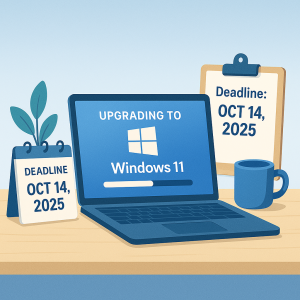
If your business is still operating on Windows 10, it’s time to pay attention. The official Windows 10 End of Life for Businesses is scheduled for October 14, 2025. After that date, Microsoft will no longer provide updates, patches, or technical support for the operating system.
This isn’t just a typical upgrade cycle. For small and mid-sized businesses, this change poses a serious risk to cybersecurity, compliance, and operational continuity.
Still thinking of putting off the switch? Here’s why waiting could cost you far more than just an IT upgrade.
“We’ll Deal With It Later” Could Be a Financial Disaster
Most business owners aren’t jumping at the chance to spend money on a Windows upgrade. But postponing the transition past the Windows 10 end-of-life deadline could leave you exposed — legally, financially, and technically.
Let’s explore the key reasons why businesses need to act now.
1. You’re On Your Own for Security
Once Windows 10 reaches its end of life, any new vulnerabilities discovered will not be patched by Microsoft. That puts your entire network at risk of exploitation.
Outdated systems are a goldmine for cybercriminals. They actively search for unpatched machines, especially in small businesses where security is often less sophisticated. A single breach could cost thousands in data recovery, lost revenue, or even compliance violations.
Need proof from the source? Here’s Microsoft’s official end-of-support timeline for Windows 10.
2. Software and Hardware Will Stop Playing Nice
Many software developers and hardware manufacturers are ending support for Windows 10 as well. That means the tools your business relies on — CRMs, accounting software, industry-specific programs — may stop receiving updates or functioning reliably.
Printers, scanners, and other peripherals may also become incompatible, especially newer models designed with Windows 11 in mind.
This can result in:
-
Crashed programs during critical demos
-
Unusable devices
-
Missed deadlines and client dissatisfaction
Businesses that ignore the Windows 10 End of Life for Businesses timeline risk losing both functionality and credibility.
3. Tech Lag Drags Down Productivity
Slow, buggy systems cost more than patience — they cost productivity. If each team member wastes just 10–15 minutes a day dealing with tech issues, you could be losing dozens of billable hours each month.
Upgrading now helps streamline daily workflows, reduce IT tickets, and improve employee satisfaction.
4. Emergency Upgrades Are Always More Expensive
Delaying your Windows 10 upgrade until something breaks forces you into “panic mode.” That leads to:
-
Rush shipping costs
-
Emergency IT service rates
-
Unplanned business downtime
Smart business leaders understand that a planned upgrade is far more affordable — and less stressful — than a last-minute scramble.
5. Compliance Is on the Line
If your business is regulated under HIPAA, PCI-DSS, or other data protection laws, using an unsupported OS after October 2025 may put you out of compliance. That could trigger audits, fines, or legal action.
Regulators expect businesses to follow security best practices — and running unsupported software simply doesn’t meet the bar.
What Smart Business Owners Are Doing Now
Forward-thinking businesses are preparing for the Windows 10 End of Life for Businesses by:
-
Auditing which devices can upgrade and which need replacement
-
Reassessing their cybersecurity posture
-
Phasing in Windows 11 or other secure platforms
-
Budgeting for IT infrastructure proactively
Don’t treat this as a burden — use it as an opportunity to modernize.
How to Transition Without the Headaches
Upgrading doesn’t have to mean downtime or disruption. At Iler Networking & Computing, we help small businesses like yours navigate the Windows 10 End of Life for Businesses with confidence. Here’s how:
Run a compatibility check – Find out which machines can upgrade and which must be replaced
Audit your applications – Ensure everything works on Windows 11
Plan for hardware and software – Avoid last-minute costs and stock shortages
Partner with an MSP – Let us handle the upgrade while you stay focused on business
Let’s Build Your IT Upgrade Plan
The Windows 10 End of Life for Businesses is coming — and it won’t wait. Don’t let procrastination put your business at risk.
Click here to schedule your FREE Network Assessment and we’ll show you exactly what needs to be upgraded, what can stay, and how to plan your IT future with confidence.