
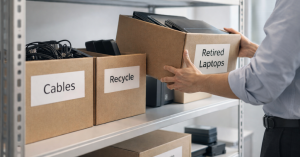
 Spring Cleaning for Your Technology Starts with IT Asset Disposal
Spring cleaning isn’t just about closets and storage rooms. For most businesses, the real clutter lives in outdated technology.
Old laptops tucked in cabinets. Retired printers collecting dust. Backup drives from years ago sitting in a box labeled “just in case.”
It adds up quickly—and without a plan, it becomes more than clutter. It becomes a risk.
That’s where spring IT asset disposal comes in.
Every business accumulates old technology. The difference between a well-run organization and a vulnerable one is how that technology is handled once it’s no longer in use.
Technology Has a Lifecycle—Not Just a Purchase Date
Most businesses are intentional when buying technology. You evaluate performance, security, and scalability.
But when it comes to retiring that same equipment?
It’s often an afterthought.
Devices get replaced, pushed aside, and eventually forgotten. The problem is that outdated technology doesn’t just sit there harmlessly. It can still:
- Store sensitive company data
- Retain access to systems and accounts
- Create unnecessary security exposure
- Take up valuable physical and mental space
A proper IT asset disposal strategy ensures that your business stays secure, compliant, and efficient.
Spring is the perfect time to pause and ask:
What’s still helping us—and what’s just sitting there?
A Simple Framework for Spring IT Asset Disposal
If you want to turn intention into action, follow this four-step process.
1. Inventory Your Technology
Start by identifying what you actually have.
Walk through your office and list out:
- Laptops and desktops
- Phones and tablets
- Printers and copiers
- Network equipment
- External drives and servers
You’ll almost always find more than expected.
2. Decide What Happens Next
Every device should fall into one of three categories:
- Reuse – redeploy internally or donate
- Recycle – send to a certified e-waste provider
- Destroy – when sensitive data requires it
The key to effective IT asset disposal is making these decisions intentionally—not letting equipment sit in storage indefinitely.
3. Secure the Data (This Is Critical)
This is where many businesses get it wrong.
Deleting files or performing a factory reset does not fully remove data. It simply removes visibility—not the actual information.
According to Blancco, a large percentage of resold drives still contain recoverable sensitive data—even when sellers believe they wiped them.
Proper data sanitization includes:
- Certified data erasure tools
- Full overwrite of storage sectors
- Verification reports for compliance
If devices are being destroyed, use:
- Professional shredding
- Degaussing
- Documented chain of custody
This isn’t overkill—it’s standard practice for secure IT asset disposal.
4. Document Everything
Once equipment leaves your building, you should be able to answer:
- Where did it go?
- How was data handled?
- Who managed the process?
Documentation protects your business and ensures accountability.
The Devices Businesses Forget About
When companies think about IT asset disposal, they usually focus on laptops. But other devices can be just as risky.
Phones and Tablets
These often contain:
- Email access
- Saved passwords
- Authentication apps
A proper wipe—preferably through mobile device management—is essential.
Printers and Copiers
Modern devices store data internally, including:
- Printed documents
- Scanned files
- Fax records
Before returning or recycling, confirm that the internal hard drive is wiped or removed.
Batteries and Accessories
Batteries are regulated waste. Improper disposal can lead to:
- Environmental harm
- Regulatory fines
Organizations like Call2Recycle provide certified drop-off locations for safe handling.
External Drives and Old Servers
These are often the biggest risks because they:
- Sit unused for years
- Contain large volumes of sensitive data
They should always go through secure IT asset disposal—not storage.
Why Proper IT Asset Disposal Matters More Than Ever
E-waste is growing rapidly. According to Global E-waste Monitor, the world generates over 60 million metric tons of electronic waste annually—and only a fraction is properly recycled.
For businesses, this isn’t just about sustainability. It’s about:
- Data security – preventing breaches
- Compliance – meeting regulatory requirements
- Operational efficiency – reducing clutter and confusion
- Brand reputation – showing responsibility and professionalism
Handled correctly, spring IT asset disposal is both a security initiative and a business improvement strategy.
The Bigger Opportunity: Clean Systems, Not Just Hardware
Spring cleaning isn’t just about removing old equipment. It’s about creating space for better performance.
While you’re evaluating outdated devices, ask a bigger question:
Is your technology actually helping your business grow?
Today, success isn’t just about hardware. It’s about:
- Integrated systems
- Automation
- Security frameworks
- Scalable infrastructure
Retiring old equipment is step one. Optimizing everything else is where real growth happens.
If you’re unsure where you stand, start with a professional assessment: https://iler.com/analysis/
Don’t Go It Alone
If your team already has a clear IT asset disposal process, that’s great. It should feel simple and routine.
But if things have piled up—or you’re not 100% confident in how devices are being handled—it’s worth taking a closer look.
At ILER, we help businesses:
- Securely retire outdated technology
- Align systems with business goals
- Reduce risk and improve efficiency
And we keep it practical. No overcomplicated checklists. No pressure.
Just a conversation about what’s working—and what could work better.
For additional best practices on secure data destruction, you can also reference guidance from National Institute of Standards and Technology.
Ready to Clean Up Your IT the Right Way?
Spring is the perfect time to reset.
Not just your office—but the systems that keep your business running.
Book a quick 10-minute conversation to review your current setup and identify opportunities: https://go.appointmentcore.com/book/DhmPV2?cid=is:~Contact.Id~