
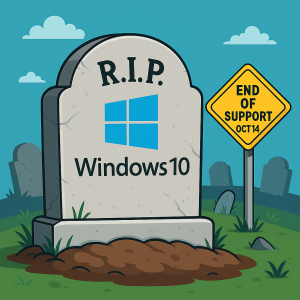
 Microsoft has announced that Windows 10 support is ending on October 14, 2025. This deadline matters for every business owner still relying on Windows 10. While your PCs will technically keep working after the cutoff, they’ll no longer receive security updates, patches, or official technical support. That lack of support puts your business operations and sensitive data at risk.
Why This Matters for Business Owners
1. Security Risks
Without Microsoft’s regular updates, your systems become vulnerable to cyberattacks, ransomware, and data theft. Hackers actively look for outdated operating systems to exploit. For businesses handling customer or financial data, continuing on Windows 10 is a major liability.
2. Software Compatibility
As developers update applications to work with newer platforms, older systems fall behind. Many of the programs you rely on—accounting tools, dental practice software, industry-specific apps—may stop functioning correctly on Windows 10. This could create costly downtime or force emergency upgrades later.
3. Compliance Concerns
If your organization falls under HIPAA, PCI DSS, IRS Safeguards, or FTC Safeguards requirements, staying on an unsupported OS can lead to compliance violations. Regulators don’t care that your PC still turns on—if it isn’t patched, it’s a risk. Non-compliance can mean hefty fines and reputational damage.
What Are Your Options?
Microsoft recommends upgrading to Windows 11, but not every Windows 10 device qualifies. Hardware requirements are strict, and many older PCs can’t handle the switch. That leaves business owners with several paths:
-
Upgrade to Windows 11 – Best long-term solution if your hardware qualifies.
-
Buy new, compatible PCs – A fresh start with modern, faster, more secure hardware.
-
Sign up for Extended Security Updates (ESU) – Temporary protection, but not a long-term fix.
-
Switch to Linux – Niche option that may suit tech-savvy organizations, but requires retraining.
-
Do nothing – The worst choice. Your business will be exposed to unnecessary risks.
Pro Tip: No matter what you choose, always back up your files before making changes. A solid backup ensures no data loss during migrations.
Extended Security Updates – A Short-Term Bandage
Microsoft will offer Extended Security Updates (ESU) for Windows 10 through October 2026. Businesses can:
-
Pay $30 per device or redeem 1,000 Microsoft Reward points.
-
Or enable Windows Backup and sync data to OneDrive for a free option (limited to 5 GB unless you upgrade storage).
While ESU can buy time, it’s only a temporary solution. It won’t solve software compatibility or compliance concerns. Treat it as breathing room—not an excuse to delay.
How This Impacts Your Business
For many SMBs, upgrading isn’t just about keeping the lights on—it’s about protecting productivity, compliance, and customer trust. Every unpatched system in your office is an open invitation for cybercriminals.
If you’re unsure how to proceed, the safest step is to work with an IT partner. A managed service provider can assess your environment, map out upgrade options, and minimize disruption.
Next Steps
At Iler Networking & Computing, we help businesses navigate transitions like this every day. We’ll:
-
Review your current systems for Windows 11 compatibility.
-
Provide a cost-benefit analysis for upgrading hardware vs. replacing it.
-
Ensure you remain compliant with industry regulations.
-
Build a plan that keeps downtime and disruption to a minimum.
Don’t wait until October 14 to make a rushed decision. Start planning today.
Schedule your FREE IT Assessment to find the best path forward for your business.
For more details on Microsoft’s official Windows 10 ESU program, visit Microsoft’s support page.
The end of Windows 10 support isn’t just another Microsoft update—it’s a business decision point. By acting now, you’ll protect your company from security risks, avoid compliance headaches, and ensure your employees stay productive on supported systems.
Windows 10 support ending in October 2025 is a clear signal: prepare, upgrade, and secure your business before it’s too late.