
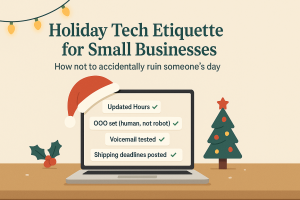
 The holiday season puts pressure on every small business. Customers are rushing to finish errands. Employees are balancing time off. Systems are busier than usual. And expectations? Higher than ever. When technology goes sideways at this time of year, even a small disruption can turn into a major inconvenience for your team—and an even bigger frustration for your customers.
That’s why smart organizations lean on holiday IT best practices for small businesses to keep operations smooth, communication clear, and service dependable. Think of this as your holiday tech etiquette guide: a practical playbook that helps you avoid the preventable tech mishaps that can sour someone’s day.
Below are the essential steps every small business should take before the holidays hit full swing.
1. Update Your Online Hours Everywhere Customers Look
Few things irritate a customer more than planning a visit only to discover your hours online were wrong. During the holidays, mismatched information can turn a minor mistake into a full-blown customer service disaster.
Make sure your holiday schedule is updated across:
-
Google Business Profile (the most visible and most important listing)
-
Facebook, Instagram, and Yelp
-
Your website header/banner
-
Apple Maps and Bing Places
Customers rely on these platforms when they’re in a hurry. Incorrect hours feel like a broken promise.
Example message:
“Happy Holidays! Our office will be closed Nov. 27–Dec. 1 so our team can enjoy the season with loved ones. We look forward to helping you when we return Monday morning.”
Updating your listings isn’t just polite—it’s part of the broader holiday IT best practices for small businesses that reduce complaints and build trust.
2. Craft Out-of-Office Messages That Sound Human, Not Robotic
If your team is taking time off, customers need clarity—not silence. A strong auto-reply prevents confusion and reassures people that their message hasn’t been lost in the holiday chaos.
What makes a good holiday out-of-office message?
-
Clear dates
-
A friendly tone
-
A realistic timeframe for replies
-
An alternate contact for emergencies
Example:
“Thanks for reaching out! Our team is out of the office Nov. 27–Dec. 1 for Thanksgiving. We’ll reply as soon as we’re back and caffeinated. If you need urgent support, call our team at (XXX) XXX-XXXX. Wishing you a wonderful holiday!”
This simple courtesy keeps customer relationships warm—one of the core holiday IT best practices for small businesses that enhances your reputation.
3. Skip the Oversharing in Your Auto-Replies
Your customers don’t need to know where you’re traveling, what the office staff is cooking, or who’s taking a cruise. Oversharing creates security risks, including tipping off bad actors that your office may be unattended.
Stick to:
-
Dates
-
Response timelines
-
Essential contact info
Leave personal travel details off the record. Cybersecurity experts consistently warn that oversharing online increases the risk of targeted attacks—here’s a helpful reference from the FTC on holiday cybersecurity awareness:
https://consumer.ftc.gov/articles/holiday-shopping-security-tips
4. Test Your Phone Systems Before Customers Start Calling
Phone system failures spike during the holidays because businesses forget to update their greetings, voicemail rules, call routing, or after-hours messages.
Before the holidays begin:
-
Call your own number
-
Confirm your voicemail matches your holiday hours
-
Ensure auto-attendants route correctly
-
Test your emergency or on-call options
You’d be shocked at how many small businesses still have outdated greetings from 2020. Fixing this is one of the easiest and most overlooked holiday IT best practices for small businesses.
Sample voicemail:
“You’ve reached [Business]. We’re closed for the holiday weekend. Please leave a message and we’ll return your call Monday. For urgent matters, press 1 for on-call support. Happy Holidays!”
5. Communicate Shipping or Service Deadlines Early and Everywhere
Whether you ship products, deliver services, or complete time-sensitive work, clear deadlines prevent misunderstandings—and angry emails.
Post your holiday cutoffs:
-
On social media
-
In reminder emails
-
On your website or customer portal
-
At checkout (online or in-person)
Holiday frustrations often come from misaligned expectations, not actual delays. The more proactively you communicate, the happier your customers stay.
6. Strengthen Your Cybersecurity Before You Clock Out
Criminal activity jumps during the holidays because attackers know offices are short-staffed or closed. As part of your holiday IT best practices for small businesses, ensure you’ve addressed the essentials:
-
MFA is required on all accounts
-
Backups have been tested
-
Endpoint protection is up to date
-
Remote access is limited to authorized users
-
A short incident-response plan is in place
If you’re unsure where you stand, get a quick checkup here:
https://iler.com/assessment
The Bottom Line: Holiday IT Best Practices for Small Businesses Protect Your Reputation
Holiday tech etiquette isn’t complicated—it’s about consistency, clarity, and consideration. When you update your information, communicate humanely, and secure your systems, you give customers and employees the gift of a seamless experience.
A little preparation prevents:
-
Missed sales
-
Frustrated customers
-
Productivity loss
-
Security incidents
-
Damaged reputation
And most importantly—it lets you enjoy your well-earned holiday downtime without tech emergencies stealing the spotlight.
Want a Tech Team Who Keeps You Running Smoothly All Season Long?
If you want support implementing holiday IT best practices for small businesses—or simply want peace of mind while your team takes time off—ILER Networking & Computing is here to help.
Book your free discovery call here: https://go.appointmentcore.com/book/DhmPV2?cid=is:~Contact.Id~